
Grocery Delivery Apps: Senior Setup and Accessibility
Grocery delivery apps can restore independence for seniors, but setup and accessibility can be tricky. This guide offers practical steps for families and caregivers to make the process smooth and safe.
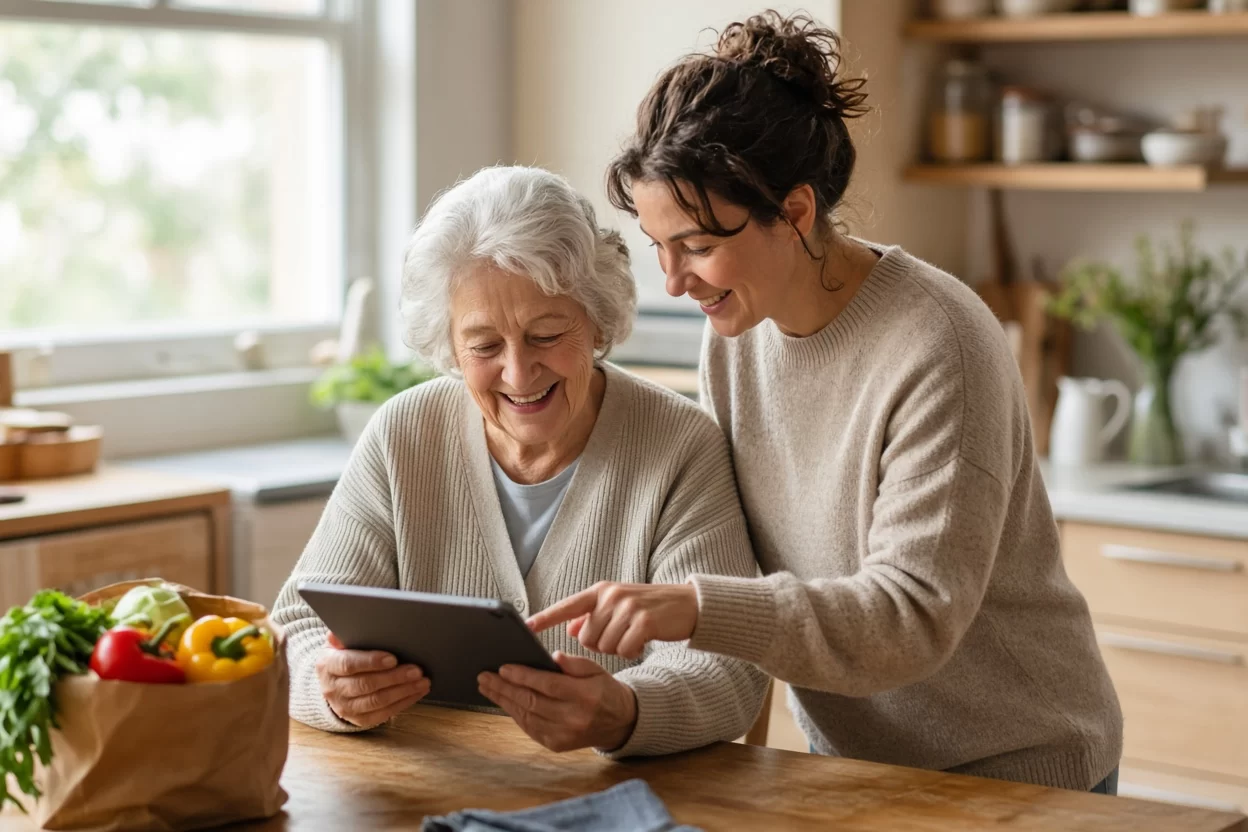
For many older adults, the weekly trip to the supermarket is more than a chore – it is a routine that provides structure, social interaction, and a sense of control. But when mobility declines, vision fades, or chronic conditions make carrying bags difficult, that simple errand can become a source of stress and even danger. The good news is that grocery delivery apps have evolved into powerful tools that can bring the store to the living room. Yet for many seniors, the thought of navigating a smartphone app can feel as intimidating as climbing a mountain. As a family caregiver or a devoted adult child, you can bridge that gap. This guide will walk you through setting up grocery delivery apps for your aging loved one, with a focus on accessibility, safety, and preserving their dignity. With patience and the right approach, you can help them enjoy the convenience and independence that these apps offer, all from the comfort of their favorite armchair.
Why Grocery Delivery Apps Matter for Seniors
Grocery delivery is not just about convenience; it is about enabling older adults to maintain their independence and quality of life. When a senior can order their own groceries, they retain control over their food choices, dietary needs, and daily routines. This sense of agency is crucial for emotional well-being, as it counters feelings of dependency that often accompany aging. Moreover, delivery services reduce physical strain, preventing falls and injuries that can occur when carrying heavy bags or navigating crowded aisles. For those with chronic conditions like arthritis or heart disease, avoiding the physical exertion of shopping can be a medical necessity.
Beyond the physical benefits, grocery delivery apps offer a social and mental boost. The process of browsing products, comparing prices, and making decisions exercises the mind, which is important for cognitive health. It also provides a sense of accomplishment and connection to the modern world. For family members, these apps offer peace of mind, knowing that their loved one has access to fresh food even when they cannot be there in person. In a city like New York, where walking to a store may involve stairs, long blocks, or extreme weather, delivery services are a lifeline. By embracing this technology, you are not taking something away from your loved one; you are giving them a new way to live safely and proudly.
Choosing the Right App: Key Features to Look For
Not all grocery delivery apps are created equal, especially when it comes to senior usability. The first step is to select an app that is intuitive, reliable, and offers accessibility features. Look for apps with large, clear text and high-contrast colors, as these are easier on aging eyes. A simple layout with a search bar at the top and obvious buttons for adding items to the cart is essential. Avoid apps that are cluttered with ads or pop-ups, as these can confuse and frustrate users. Popular choices like Instacart, Amazon Fresh, and Walmart Grocery often have user-friendly interfaces, but it is wise to test them yourself before introducing them to your loved one.
Another critical feature is customer support. Choose a service that offers phone support, not just chat or email, because seniors may prefer speaking to a real person if they encounter issues. Also, consider the delivery options: does the app allow you to schedule deliveries for specific times, and can you make changes or cancel easily? Some apps offer a ‘substitution’ feature, where the shopper picks a replacement if an item is out of stock. This is important to discuss with your loved one, as they need to decide whether they want replacements or a refund. Finally, check if the app has a website version that works on a desktop or laptop, as some seniors are more comfortable with a larger screen. Having a backup method can reduce anxiety and increase success.
Setting Up the App: A Step-by-Step Guide for Caregivers
Setting up a grocery delivery app for a senior involves more than just downloading it. It requires creating an account, entering payment information, and setting preferences – all of which can be overwhelming. To make the process smooth, do it together with your loved one, sitting side by side so they can see and participate. Start by explaining what you are doing at each step, and encourage them to ask questions. Begin with the basics: download the app from the official app store, and create an account using their email address or phone number. If they do not have an email, create one for them, and write the password down in a secure place that they can access.
Next, add their address and contact information, and set up a payment method. It is often best to use a credit card or a prepaid debit card to avoid overdraft fees. Many apps allow you to save payment details, but be sure to discuss security with your loved one, reassuring them that reputable apps use encryption. After that, help them set up their profile, including any dietary preferences or allergies, so that the app can filter products accordingly. Finally, take the time to explore the app together. Show them how to search for items, add them to the cart, and review the cart before checking out. Practice a mock order, but do not complete it – just walk through the steps. This repetition builds confidence and muscle memory.
Accessibility Features: Making the App Work for Aging Eyes and Hands
Many seniors face visual and motor challenges that make using a smartphone difficult, but most apps have built-in accessibility features that can be activated. On both iOS and Android, you can increase the text size, enable high contrast, and use screen magnification. To do this, go to the device settings and look for ‘Display and Brightness’ or ‘Accessibility.’ For example, on an iPhone, you can go to Settings > Accessibility > Display & Text Size and adjust the text size to ‘Large’ or ‘Extra Large.’ You can also turn on ‘Bold Text’ and ‘Increase Contrast’ to make the app’s text more legible. On Android, similar options are found under Settings > Accessibility > Font Size and Display Size.
For seniors with tremors or limited dexterity, the touch screen can be a challenge. Consider enabling ‘Touch Accommodations’ on iOS or ‘Touch and Hold Delay’ on Android, which allows the device to ignore accidental taps and only register intentional ones. Additionally, voice control can be a game-changer. Both platforms offer voice assistants – Siri on iOS and Google Assistant on Android – that can be used to search for items or even place orders. For example, your loved one can say ‘Hey Siri, add milk to my cart’ if the app is integrated with the assistant. While not all grocery apps support voice commands fully, many do, and it is worth exploring. You can also use the device’s built-in screen reader, such as VoiceOver on iOS or TalkBack on Android, which reads out loud the text on the screen. This is particularly helpful for seniors with significant vision loss.
Teaching Seniors to Use the App: Patience and Practice
Learning a new technology takes time, and for seniors, the learning curve can be steeper due to cognitive changes or lack of familiarity. The key is to be patient and to break the process into small, manageable steps. Start with a single task, such as searching for a favorite product, and practice it until your loved one feels comfortable. Use positive reinforcement and avoid showing frustration, as this can discourage them. Remember that repetition is crucial; encourage them to use the app regularly, even for small orders, to build their skills. You might create a weekly routine where you sit together and place an order, gradually giving them more control each time.
Another effective strategy is to write down simple, illustrated instructions and keep them near the device. For example, a step-by-step card that says ‘1. Tap the app icon, 2. Type ‘bread’ in the search bar, 3. Tap ‘Add’ next to the item you want, 4. Tap the cart icon, 5. Tap ‘Checkout’.’ Use large print and clear language. You can also record a short video on your phone showing the process, which they can watch repeatedly. If your loved one is not comfortable with the app, consider using the website on a tablet or computer, which might be easier to navigate. The goal is not to force them into a specific method, but to find what works best for them.
Safety and Security: Protecting Personal Information and Avoiding Scams
Seniors are often targets of online scams, so it is vital to implement safety measures when setting up grocery delivery apps. First, ensure that the app is downloaded from an official source, such as the Apple App Store or Google Play Store, to avoid malicious fake apps. Use strong, unique passwords for each account, and consider using a password manager to keep track of them. Enable two-factor authentication if the app offers it, which adds an extra layer of security. Also, be cautious about sharing personal information; the app should only need your loved one’s name, address, and payment details, not their Social Security number or medical information.
Teach your loved one to be wary of unsolicited messages or calls claiming to be from the grocery delivery service. Scammers may try to trick them into revealing their password or payment information. Remind them that legitimate companies will never ask for their password or full credit card number over the phone or via email. If they receive a suspicious message, they should contact you or the app’s official customer support. Additionally, review the delivery process: when the order arrives, the delivery person should not need to enter the home unless the senior has requested that. Advise your loved one to ask the delivery person to leave the bags at the door if they are not comfortable with a face-to-face interaction, which is also a good practice during flu season or for those with compromised immune systems.
Overcoming Common Challenges: When Things Go Wrong
Even with the best setup, issues can arise, such as missing items, late deliveries, or technical glitches. It is important to prepare your loved one for these possibilities so they do not become discouraged. First, explain that mistakes happen and that there is a way to resolve them. Most apps have a ‘Help’ or ‘Contact Us’ section where you can report a problem, and many offer refunds or credits. Show your loved one how to access this feature, and practice reporting a hypothetical issue. If they are not comfortable doing it themselves, you can be their backup, but encourage them to try first.
Another common challenge is managing substitutions. If an item is out of stock, the shopper may replace it with a similar product, which can be surprising if the senior did not expect it. To avoid this, use the app’s substitution preferences, if available, and set them to ‘do not replace’ or ‘contact me before replacing.’ Alternatively, you can teach your loved one to review the substitutions when the order arrives and to request a refund for any they do not want. Also, be aware that delivery windows can be limited, especially during peak times like holidays or inclement weather. Encourage your loved one to schedule deliveries a few days in advance, and have a backup plan, such as a list of local stores that offer phone ordering. By anticipating these challenges, you can reduce stress and keep the experience positive.
Integrating Grocery Delivery into a Home Care Plan
If you are working with a home care agency like Rockaway Home Care, grocery delivery apps can be a valuable part of a comprehensive care plan. Home health aides can assist seniors with placing orders, reviewing deliveries, and putting away groceries, ensuring that the process is safe and efficient. For example, an aide might sit with the senior and help them navigate the app, or they might handle the physical aspects of storing items in the refrigerator and pantry. This collaboration allows seniors to maintain their independence while having the support they need. Additionally, the aide can monitor the senior’s nutritional intake and help them make healthy choices when ordering.
For families, integrating grocery delivery into the care plan provides peace of mind. You can be alerted when an order is placed, and you can monitor the delivery through the app, even from a distance. This is especially useful for adult children who live out of town. You can also use the app to ensure that your loved one has a steady supply of their favorite foods, which can boost their mood and overall well-being. Remember that the goal is to enhance, not replace, human interaction. The delivery person is not a substitute for a caring aide or a family visit, but rather a tool that frees up time for more meaningful connections. By combining technology with compassionate care, you can create a supportive environment that respects the senior’s autonomy.
Frequently Asked Questions
What if my loved one does not have a smartphone?
Many grocery delivery services also offer website access that can be used on a tablet, laptop, or desktop computer. You can set up the account on a device with a larger screen, which may be easier for your loved one to navigate. Some services also allow phone ordering, where you call and place the order with a representative. Additionally, you can use the app on your own phone and place orders for them, but this reduces their independence. The best approach is to choose a method that matches their comfort and ability.
How can I make the app easier to read for someone with low vision?
On both iOS and Android, you can increase the text size and enable bold text or high contrast mode. Go to the device’s accessibility settings and adjust the display options. You can also use the screen reader feature, which reads text aloud. Some apps have a ‘large text’ option within their own settings, so check the app’s settings menu. If the app is still difficult to read, consider using the website on a computer with a larger monitor and adjusting the browser’s zoom level.
Is it safe to store my parent’s credit card information in the app?
Reputable grocery delivery apps use encryption to protect your payment information, so it is generally safe. However, to minimize risk, you can use a prepaid debit card with a limited balance, so that even if a security breach occurs, the exposure is limited. You can also choose to add a payment method each time you order, though this is less convenient. It is important to discuss security with your loved one and to monitor account statements for any unauthorized charges. If you have concerns, contact the app’s customer support to learn about their security measures.
What if my loved one accidentally orders the wrong items?
Most apps allow you to edit or cancel an order before it is finalized, so if you catch the mistake early, you can fix it. If the order has already been placed, you can contact customer support to request changes, but this is not always possible. To prevent errors, review the cart together before checking out, and use the ‘favorites’ feature to save commonly ordered items. You can also set up a list of approved items, if the app allows, to limit choices. If a wrong item is delivered, you can ask for a refund or return, depending on the service’s policy.
Can I use grocery delivery apps for someone with dementia?
For individuals with dementia, using a grocery delivery app may be challenging due to memory and cognitive decline. In such cases, it is often better for a caregiver or family member to handle the ordering process, either using the app or a simpler phone call. If the senior is in the early stages, you can involve them in limited ways, such as picking items from a list you create. Always prioritize safety and avoid frustration. A home care aide can provide support and ensure that the senior’s nutritional needs are met without unnecessary stress.
A Final Word: Empowering Your Loved One
Introducing grocery delivery apps to your aging loved one is a journey that requires patience, empathy, and a willingness to adapt. It is not about taking over their life, but about giving them the tools to live it on their own terms. Every small success – a successful order, a new item discovered, a moment of independence – is a victory worth celebrating. As you navigate this process, remember that you are not alone. At Rockaway Home Care, we understand the challenges and joys of caring for an older adult, and we are here to support you every step of the way. Whether you need guidance on technology, or you are looking for a compassionate home health aide to assist with daily tasks, our team is ready to help. We invite you to reach out for a free consultation, where we can discuss your unique situation and explore how our services can make life easier for you and your family. Together, we can ensure that your loved one enjoys a safe, fulfilling, and independent life.
This article provides general information and is not intended as medical advice. Always consult with a qualified healthcare professional for personalized guidance.
This article is general information, not medical advice. Please consult a qualified professional about your own situation.
More from the Rockaway Home Care blog
- Understanding Medicaid home care eligibility
- Top questions families ask about home care costs
- Choosing between live-in care and hourly home care
- How to create a home care plan for a loved one