
Smart Home Devices That Prevent Senior Wandering
Wandering can be a serious safety concern for seniors with memory loss. Discover how smart home technology can provide peace of mind while respecting their dignity.
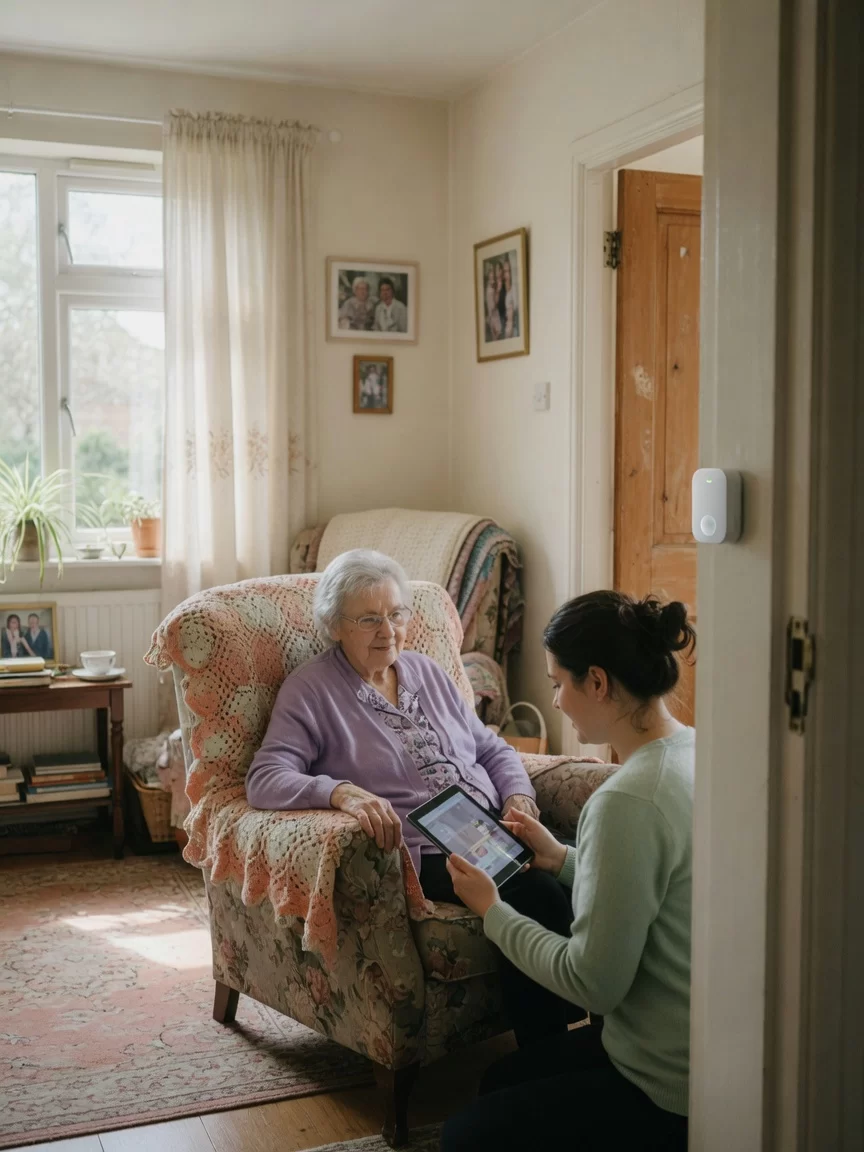
When your aging parent or loved one begins to wander, every moment can feel charged with worry. You might be helping with dinner one minute, then realize they have quietly slipped out the front door the next. This is not uncommon for families caring for someone with dementia or Alzheimer’s disease. Wandering is a real safety concern that affects many seniors, but it does not have to mean round-the-clock surveillance or a loss of independence. Smart home technology now offers practical, gentle ways to keep your loved one safe while honoring their need to move freely through their own home.
At Rockaway Home Care, we work closely with New York families every day. We see how much you want to protect your loved one while also respecting their routines and preferences. That is why we believe in using technology as a tool for safety, not as a barrier. Smart home devices can alert you when a door opens unexpectedly or when a loved one leaves a designated area. They can do this without making your parent feel watched or confined. In this article, we will explore the most effective smart home devices for preventing senior wandering. We will also share practical tips for choosing and setting up these tools in a way that feels natural and respectful.
Understanding Why Seniors Wander
Before we talk about devices, it helps to understand why wandering happens. For many older adults, especially those living with dementia, wandering is not a deliberate act of leaving home. It is often driven by an internal need. They might be looking for something familiar, like a room from their childhood home. They might feel restless or anxious and simply need to move. Sometimes, it is a response to a forgotten task, like thinking they need to go to the store or pick up a child from school. These moments are rooted in memory loss and confusion, not in a desire to be unsafe.
Recognizing this can change how you approach prevention. Instead of seeing wandering as something to control, you can see it as a signal. Your loved one is trying to meet a need, even if that need no longer makes sense in their current reality. This is where smart home devices become so valuable. They do not stop the wandering itself, but they give you a gentle heads-up. A sensor on the front door can send a quiet alert to your phone. A smartwatch can detect when your parent has left a safe zone. These small cues allow you to respond calmly and redirect them, rather than reacting with alarm or frustration.
Key Features to Look for in Wandering Prevention Devices
Not all smart home devices are created equal, especially for senior care. When you are choosing technology to prevent wandering, focus on these important qualities. First, the device should be non-intrusive. Your loved one should not feel like they are wearing a prison bracelet or being watched by cameras. Look for sensors that blend into the home environment, like small white discs on doorframes or simple motion detectors that look like ordinary light switches.
Second, the device must be reliable and easy to use. If a system requires constant recharging or complicated app updates, it will not work for a busy family caregiver. Choose devices with long battery life and simple alerts that come straight to your phone. Third, look for adjustable sensitivity. Some seniors move around a lot during the day, so you want a device that only alerts you when a door is opened at an unusual time, like late at night, or when your loved one leaves a specific area, like the backyard or the front porch.
Finally, consider whether the device works with other smart home tools. Many wandering prevention systems can be part of a larger safety network. For example, a door sensor can connect to smart lights that turn on automatically if your loved one gets up in the dark. This kind of integration makes the home safer overall without adding extra steps for you or your parent.
Top Smart Home Devices for Wandering Prevention
Door and Window Sensors
These are among the simplest and most effective tools. Door sensors are small magnetic devices that attach to the frame of a door and its edge. When the door opens, the two parts separate and trigger an alert. You can set the alert to sound on a base station in the home, or to send a notification to your phone. Some systems even allow you to set a schedule, so you only receive alerts during certain hours, like overnight or when you are not in the room.
For example, you might place a sensor on the front door and the back door. If your loved one tries to leave at 2 a.m., you will get a quiet buzz on your phone. This lets you check on them without starting a loud alarm that might frighten or confuse them. Door sensors are also very affordable, usually under $50, and require no wiring. They simply stick onto the doorframe with adhesive.
Motion-Activated Lights
Nighttime wandering is especially common. Many seniors become disoriented in the dark and may get up to find the bathroom or a glass of water. Motion-activated lights can prevent falls and also make your loved one feel more secure. Place a small nightlight in the hallway or near the bedroom door. When your parent stands up, the light gently turns on, illuminating the path. This simple step can reduce the urge to wander because the room no longer feels confusing.
For a more advanced setup, consider smart lights that connect to your phone. You can program them to turn on at a certain brightness or to flash softly if a door sensor is triggered. This combination of light and sound can help you redirect your loved one without needing to rush to their side.
GPS Tracking Devices
For families where the risk of wandering is higher, a wearable GPS device can be a game-changer. These are often small pendants or watches that your loved one wears around their neck or on their wrist. The device uses cellular signals to share their location with you through a smartphone app. If they leave a designated safe zone, like your home or the immediate block, you receive an alert. You can then see their exact location on a map.
GPS trackers are especially useful for seniors who still enjoy walking outside or who have a tendency to wander far from home. They give you the freedom to let your loved one move around while knowing you can find them quickly if needed. Many models are designed to look like ordinary jewelry or watches, so they do not feel medical or stigmatizing.
Smart Door Locks
Sometimes the best way to prevent wandering is to make it harder to leave unnoticed. Smart door locks can be controlled from your phone and can be set to lock automatically at certain times. For example, you can program the front door to lock at 9 p.m. and unlock at 7 a.m. This does not trap your loved one inside, but it adds an extra moment of pause. They might try the handle, find it locked, and become distracted. Meanwhile, you receive an alert on your phone that someone tried to open the door.
Smart locks are also helpful if your loved one tends to unlock doors and forget to close them. You can check from your phone whether the door is secured and lock it remotely if needed. This feature is especially useful if you are at work or running errands.
Bed and Chair Sensors
These are less common but very helpful for families who need to know when their loved one gets up. A bed sensor is a thin pad placed under the mattress. When your parent sits up or stands, the sensor sends a signal to a base unit. This can be a simple chime or a phone alert. Chair sensors work the same way, placed on a favorite armchair or sofa. These are ideal for seniors who are prone to getting up suddenly and may need help or redirection.
Bed sensors can be especially useful at night. If you are a light sleeper, you can place the sensor near your own bed. When your loved one gets up, you get a gentle vibration or sound, allowing you to check on them before they wander far.
How to Set Up These Devices Without Overwhelming Your Loved One
Introducing new technology into a senior’s home requires care and patience. Your loved one may be unfamiliar with these devices or may feel uneasy about them. The key is to frame the devices as helpers, not as monitors. For example, you can say the door sensor is there to remind you when the door is open, so you do not lose heat. Or you can say the smart lights are to help you see better at night. This keeps the focus on comfort and convenience rather than on safety or control.
Start with just one or two devices. Choose the ones that address the biggest concern first. If your loved one tends to wander at night, a door sensor and a nightlight are a good start. If they walk outside during the day, a GPS tracker might be more useful. Let them see you using the device on your own phone first. Show them how the alert works and explain that it is just a way for you to know when they need something. Many seniors accept the technology more easily when they understand it is helping you feel less worried.
Also, consider involving your loved one in the setup. If they are able, let them choose where the sensor goes or what color the nightlight should be. This small sense of control can make a big difference. And always reassure them that these devices are not a sign that they are losing independence. They are simply tools to help you both enjoy more time together without constant worry.
Balancing Safety with Dignity
One of the hardest parts of caregiving is finding the line between safety and respect. You want to protect your parent, but you also want them to feel like they are still in charge of their own home. Smart home devices can help with this balance. They allow you to step back and give your loved one more freedom, because you know you will be alerted if something changes. You do not have to watch them every second. You do not have to lock every door or follow them around the house.
For example, if your mother enjoys sitting on the front porch in the afternoon, you do not have to worry about her walking away. A door sensor can tell you if she opens the gate, but you do not need to hover. This small shift can reduce your stress and make your time together more pleasant. It also honors your loved one’s desire to live normally. They can still move around their home, still open cabinets, still walk to the kitchen. The technology simply adds a layer of awareness that helps you respond when needed.
Remember, no device replaces your presence and your care. But these tools can make your caregiving more sustainable. They give you a few extra minutes of rest at night. They help you feel more confident when you step away to run an errand. And they allow your loved one to stay in their own home longer, which is often what they want most.
Frequently Asked Questions
Are door sensors easy to install?
Yes, most door sensors are very simple to install. They usually come with adhesive backing that sticks directly to the door and frame. No tools or wiring are needed. You just place the two parts so they line up when the door is closed. Many can be set up in under five minutes.
Will a GPS tracker work if my loved one goes outside the city?
Most GPS trackers use cellular networks, so they work anywhere there is cell service. In New York, this coverage is very reliable. If your loved one travels to a more rural area, the device may still work but could be less precise. Check the device’s coverage map before purchasing.
Do these devices require a monthly subscription?
Some do, but not all. Door sensors and motion lights usually work on their own with no subscription. GPS trackers and some smart locks often require a small monthly fee for cellular data or app access. This fee is typically under $20 per month.
Can the devices be used if my loved one has a pacemaker or other medical implant?
Most smart home devices use low-power signals that are safe for people with medical implants. However, you should always check with your loved one’s doctor before introducing any new technology near their body. Wearable devices like GPS pendants are generally safe, but it is best to confirm.
What if my loved one refuses to wear a device?
This is common, and it is important not to force it. Instead, focus on the devices that do not require wearing, like door sensors and motion lights. These are often more accepted because they are part of the home, not the person. If you do want a wearable, try a style that looks like a regular watch or a piece of jewelry. Let your loved one choose the color or design to help them feel more comfortable.
At Rockaway Home Care, we understand that every family’s situation is different. There is no single device that works for everyone. The best approach is to start small, listen to your loved one’s feelings, and choose the tools that fit your daily life. You do not have to do this alone. We are here to help you think through your options and find the right balance of safety and freedom.
If you would like to talk through your specific situation, we welcome you to reach out for a free consultation. Our team works with families across New York and can help you explore which devices might work best in your home. We are here to support you, not just with technology, but with the care and understanding that every family deserves.
Note: This article provides general information about home safety technology. It is not a substitute for medical advice or professional care planning. Always consult your loved one’s healthcare provider before making changes to their care routine.
More from the Rockaway Home Care blog
- Understanding Medicaid home care eligibility
- Top questions families ask about home care costs
- Choosing between live-in care and hourly home care
- How to create a home care plan for a loved one