
Choosing the Right Medical Alert System for Seniors
A medical alert system can be a lifeline for seniors living independently. This guide helps you evaluate features, costs, and real-world needs to make the best choice.
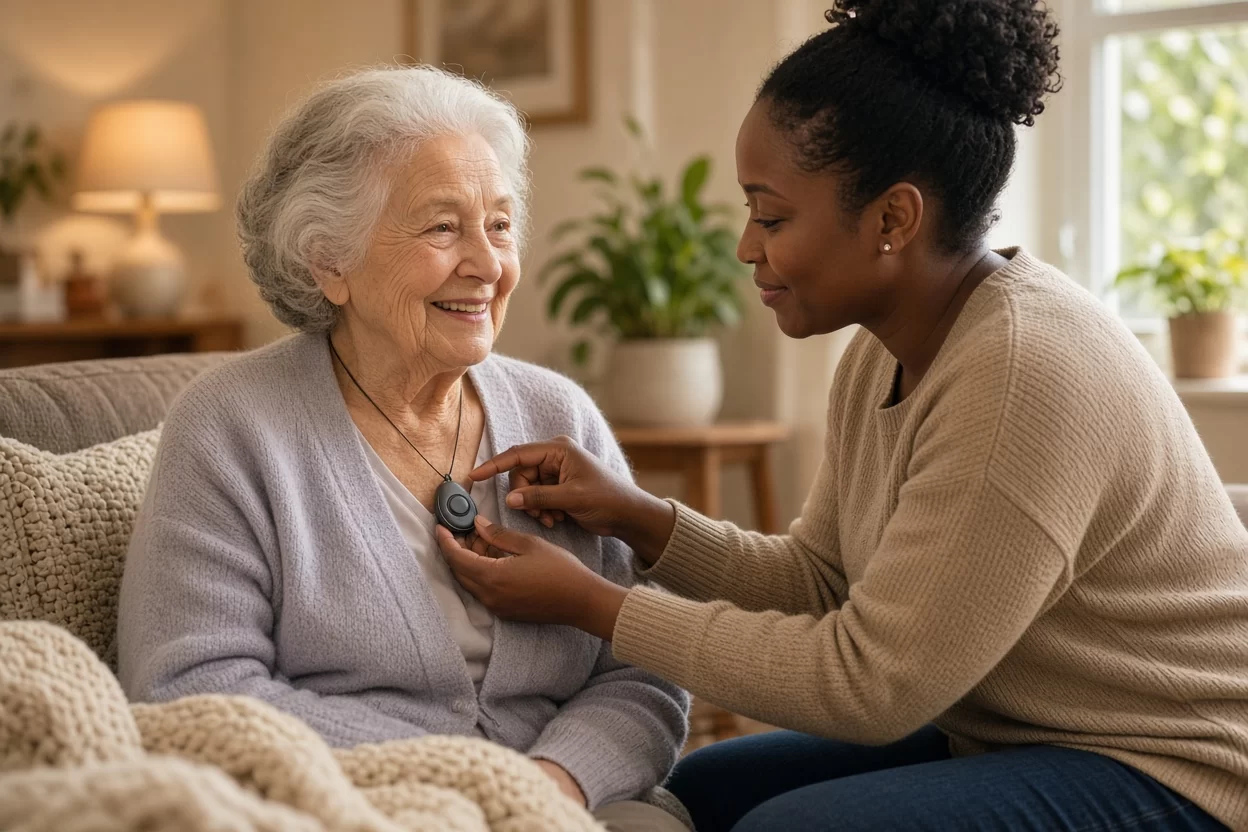
When your aging parent lives alone, a quiet worry often follows you out the door: What if they fall and cannot reach the phone? What if they feel dizzy in the bathroom or have chest pain at 2 a.m.? You cannot be there every second, but a medical alert system can act as a bridge between you and your loved one, offering a simple press of a button that summons help in moments of need. Yet with so many devices on the market, from basic pendants to smartwatches with fall detection, choosing the right one can feel overwhelming. This guide walks you through the key factors, real-life scenarios, and practical questions to ask so you can select a system that truly fits your senior’s lifestyle, health, and home environment.
Understanding What a Medical Alert System Does
At its core, a medical alert system is a device that connects a senior to a 24/7 monitoring center with the push of a button. When activated, the device calls a trained operator who can speak through a speakerphone, assess the situation, and dispatch emergency services, a family member, or a neighbor as needed. Some systems are landline-based, others use cellular networks, and newer models offer Wi-Fi connectivity. The goal is not to replace human care but to provide an extra layer of safety that allows seniors to maintain their independence with confidence.
For example, an 82-year-old woman with osteoporosis may feel steady most days, but a sudden fall in the garden could leave her immobile and unable to reach the house phone. A medical alert pendant worn around her neck or wrist would allow her to press the button and speak to a responder immediately, even if she is lying on the grass. That simple action can mean the difference between a short wait and a prolonged, dangerous delay.
It is important to understand that medical alert systems are not just for falls. They can be used for any emergency, from a medical episode like a stroke or a seizure to a home intrusion or a fire. Many systems also offer optional features like medication reminders, activity tracking, and GPS location for seniors who wander. By clarifying what your loved one needs most, you can avoid paying for features they will never use while ensuring the essentials are covered.
Assess Your Senior’s Specific Needs
Before comparing brands or prices, take a step back and evaluate your loved one’s daily life. Consider their physical mobility, cognitive health, living situation, and typical routines. A senior who is active and goes for walks in the neighborhood will need a different system than one who is mostly homebound and uses a walker indoors. Similarly, a person with early-stage dementia may require a system with GPS tracking to help locate them if they wander, while a senior with arthritis may struggle with small buttons and need a larger, easier-to-press device.
Ask yourself questions like: Does my parent live alone or with a spouse? Do they spend time outside, in the garden, or at a community center? Are they comfortable with technology, or do they find smartphones confusing? Do they have a history of falls or chronic conditions like heart disease or diabetes? The answers will guide you toward the right form factor, connectivity, and monitoring features.
For instance, if your father is hard of hearing, look for a system with a loud speakerphone and visual alerts, such as flashing lights. If your mother has limited hand strength, a wristband may be easier to press than a pendant, but a pendant is often more reliable because it stays on the torso and is less likely to be knocked off. Also, consider whether your senior can wear the device consistently. Some people resist wearing anything around their neck, so a belt clip or a smartwatch-style device might be more acceptable.
Home vs. Mobile Systems
Another key distinction is between home-based systems and mobile systems. Home-based systems work within a limited range, typically 300 to 1,000 feet from the base unit, and are ideal for seniors who spend most of their time at home. They are usually cheaper and have longer battery life. Mobile systems, on the other hand, use cellular networks and GPS, allowing the senior to press the button anywhere, whether they are at the grocery store or on a walk. These are more expensive and may require charging, but they offer freedom and security for active seniors.
Consider a senior who lives in a two-story house and spends time in the backyard. A home-based system with a range that covers the entire property is essential. Alternatively, a senior who frequently visits family or goes to adult day care might benefit from a mobile system that travels with them. Some companies offer hybrid models that work both at home and on the go, but these often come with higher monthly fees. Weigh the cost against the peace of mind it provides.
Key Features to Compare
When you start looking at specific devices, you will notice a wide range of features. Not all are essential, but some can be lifesaving. The most critical feature is reliable, 24/7 monitoring with trained responders. Make sure the call center is based in the U.S. and has a good reputation for response time. You can ask the company how long it typically takes to answer a call and what their protocol is for contacting family members.
Fall detection is another popular feature. It uses sensors to automatically detect a fall and trigger a call for help, even if the senior cannot press the button. This is especially valuable for seniors who are prone to falls or who may be unconscious after a fall. However, fall detection is not 100% accurate; it can miss some falls or trigger false alarms. Discuss with your senior whether they are comfortable with the device and whether they would prefer to press the button manually. Many systems allow you to turn fall detection on or off.
Other features to consider include two-way voice communication, which lets the responder talk to the senior through the device; a speakerphone that is loud enough for hearing-impaired users; a long battery life (some pendants last up to five years); water resistance for wearing in the shower; and a range extender for larger homes. Also, check the monthly cost, activation fees, and whether there is a contract. Some companies offer equipment for free with a monthly plan, while others charge upfront. Always read the fine print about cancellation fees.
Connectivity: Landline, Cellular, or Wi-Fi
Traditional landline systems are still available, but many seniors no longer have a landline. Cellular systems use the AT&T or Verizon network and are more flexible, but they require a strong signal in the home. Wi-Fi systems are newer and can be cheaper, but they depend on a stable internet connection, which may go down during a power outage. A cellular system with a battery backup is often the most reliable option, as it works even when the power is out. Check the coverage map in your senior’s area before purchasing.
For example, if your mother lives in a rural area with spotty cell coverage, a landline system might be more reliable. Or, if she has a strong Wi-Fi network, a Wi-Fi-based system could save money on cellular fees. But remember, during a hurricane or severe storm, both Wi-Fi and cellular can fail. Some systems offer a backup battery and a fallback to landline if available. Ask the provider about their backup protocols and what happens during a power outage.
Cost Considerations and Hidden Fees
Medical alert systems are not free, and monthly fees can range from $20 to $60 or more, depending on the features and whether you lease or buy the equipment. Some companies require a one-year contract, while others are month-to-month. Be wary of hidden fees like activation fees, shipping costs, or charges for returning equipment. Ask for a full breakdown of costs upfront, including any taxes or service fees.
Also, consider the cost of replacement batteries or chargers. Some pendants have non-replaceable batteries that last a few years, after which you may need to buy a new device. Others have rechargeable batteries that you can charge yourself. Factor in the long-term cost: a system that seems cheap upfront may cost more over time if you have to replace batteries or pay for repairs. Compare the total cost of ownership over three to five years.
If budget is a concern, check if your senior’s insurance, Medicare, or Medicaid covers any part of the cost. Medicare typically does not cover medical alert systems, but some Medicare Advantage plans or state programs may offer discounts. Also, some local Area Agencies on Aging provide free or low-cost devices for qualifying seniors. It is worth calling your senior’s insurance provider and local aging services to explore options.
Real-Life Scenarios and User Experience
To make the right choice, think about how the device will be used in daily life. For example, a senior who enjoys gardening may need a water-resistant pendant that can be worn outside. A senior who lives in a multi-story home may need a base unit on each floor or a system with a long range. A senior who is forgetful may need a system that sends automatic alerts if the device is not worn or if they miss a medication reminder.
Consider the ease of wearing the device. Many seniors find pendants comfortable and easy to wear, but some may complain that they get in the way or catch on clothing. Wristbands are less obtrusive but may not be as effective if the senior has limited hand movement. Some systems offer a belt clip that can be attached to a waistband, which is discreet and practical for active seniors. Talk to your loved one about their preferences and involve them in the decision-making process. A device that they refuse to wear is useless.
Another real-life consideration is the response experience. When your senior presses the button, who answers? Is it a friendly, trained operator who speaks clearly and calmly? Can they hear the senior and vice versa? Some systems have a built-in speakerphone that allows two-way conversation, which can be reassuring for the senior. Ask the provider if you can test the system with a demo call. A good company will let you try the device before committing.
How to Evaluate and Compare Brands
Once you have a clear list of needs, you can start comparing brands. Look for companies that have been in business for several years and have a solid track record. Read customer reviews on independent websites, but be cautious about overly positive or negative reviews. Better yet, ask your home care agency, your senior’s doctor, or friends who have used a system for recommendations. Personal referrals are often more trustworthy than online ads.
Check the monitoring center’s accreditation. Many reputable companies are UL-certified or have a TMA (The Monitoring Association) certification, which means they meet high standards for response time and quality. Also, verify that the company has a backup monitoring center in case of a disaster. A reliable provider should have redundant systems to ensure that help is always available.
When you contact a company, ask specific questions: How long is the average response time? What happens if the senior cannot speak? How are family members notified? Can you add multiple caregivers to the call list? Is there a mobile app for family members to check on the senior? The answers will give you a sense of the company’s customer service and technology. Also, ask about the return policy and warranty. A good company will offer a 30-day risk-free trial, so you can test the system in your senior’s home.
Setting Up and Training for Success
After you choose a system, the work is not done. You need to set it up properly and train your senior to use it. Place the base unit in a central location, such as the living room or hallway, where it can hear the senior from most rooms. Make sure the range covers the bathroom and bedroom, as falls often happen in these areas. If the system has a wall-mounted button, install it near the toilet and shower, where it is easy to reach.
Practice with your senior until they are comfortable pressing the button and speaking through the speakerphone. Many companies allow you to make test calls to the monitoring center. Do a test call together, so your senior can hear the operator and understand the process. Also, show them how to wear the device correctly, and encourage them to wear it all day, even during the night. Some seniors remove their device when they sleep, which defeats the purpose. If your senior takes it off at night, consider a system with a bed sensor or a fall detection that works automatically.
Finally, create a list of emergency contacts and keep it near the base unit. Include family members, neighbors, and your primary care physician. Share the list with the monitoring center so they know who to call. Update the list as needed, especially if phone numbers change. A medical alert system is only as good as the preparation behind it, so take the time to set it up thoroughly.
Frequently Asked Questions
What is the best medical alert system for a senior who lives alone?
The best system depends on the senior’s specific needs, but a home-based system with a pendant and fall detection is a solid choice for most seniors living alone. Look for a reliable monitoring center, a long battery life, and a water-resistant pendant so they can wear it in the shower. If the senior is active and leaves home often, consider a mobile GPS system.
Does Medicare cover medical alert systems?
Original Medicare (Part A and Part B) does not cover medical alert systems. However, some Medicare Advantage plans may offer coverage or discounts as a supplemental benefit. Also, Medicaid waivers or state programs might help pay for the equipment and monitoring. Contact your local Area Agency on Aging to check for assistance programs.
How much does a medical alert system cost per month?
Monthly fees typically range from $20 to $60, depending on the features and whether you lease or buy the equipment. Some companies charge an activation fee or require a contract. Always ask for a full price breakdown, including taxes and shipping, to avoid surprises. Compare total cost over several years, not just the first month.
Can a medical alert system work without a landline?
Yes, many modern systems use cellular networks or Wi-Fi instead of a landline. Cellular systems are reliable and work even during a power outage if they have a battery backup. Wi-Fi systems are cheaper but depend on a stable internet connection. Choose a system that matches your senior’s home connectivity and reliability needs.
What happens if my parent presses the button but cannot speak?
The monitoring center will still receive the alert and will attempt to communicate through the speakerphone. If there is no response, they will follow your predetermined protocol, which may include calling emergency services and then contacting family members. Make sure the monitoring center has your contact information and any medical details about your parent.
Choosing a medical alert system is a deeply personal decision that should be made with your loved one, not just for them. Take the time to listen to their concerns, involve them in the selection, and test the device together. The right system will not only provide safety but also preserve their dignity and independence. At Rockaway Home Care, we understand the challenges of caring for aging parents, and we are here to help you navigate these decisions with compassion and expertise. If you have questions about medical alert systems or any other aspect of senior care, reach out to us for a free consultation. Our team can help you create a comprehensive care plan that includes the right safety tools and professional support for your family.
This article provides general information and is not intended as medical advice. Always consult with a qualified healthcare professional for personalized guidance on your loved one’s health and safety needs.
This article is general information, not medical advice. Please consult a qualified professional about your own situation.
More from the Rockaway Home Care blog
- Understanding Medicaid home care eligibility
- Top questions families ask about home care costs
- Choosing between live-in care and hourly home care
- How to create a home care plan for a loved one